How do I change my password?
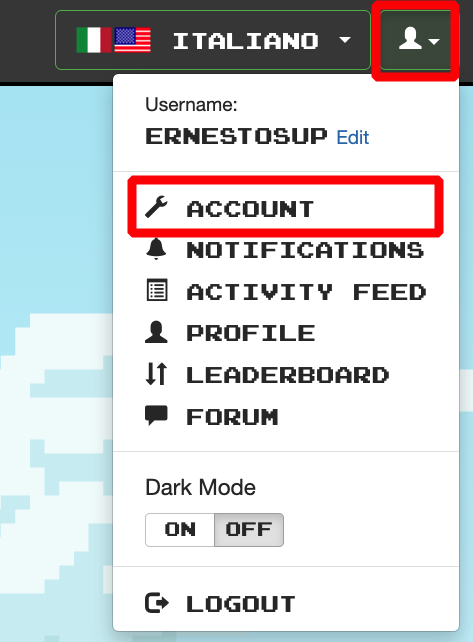
You can change your password from the home page by selecting "account" from the drop-down menu options (From the main page/ dashboard, at the top right). Enter the new password in the space provided.


You can change your password from the home page by selecting "account" from the drop-down menu options (From the main page/ dashboard, at the top right). Enter the new password in the space provided.